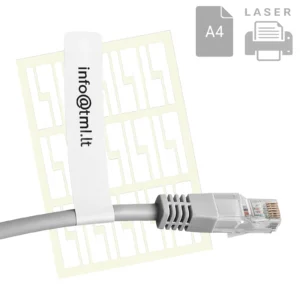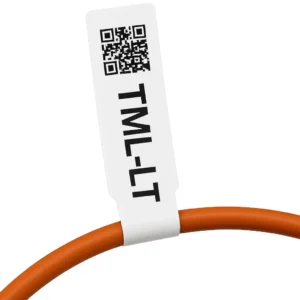


P-shaped cable and wire marking flags on A4 sheets for laser printing
Flags for marking cables and wires in a P-shape on A4 sheets for printing with a laser printer. The shape of the flag makes it easier to read the information once the marker is attached in hard-to-reach places. Marking can be done at any stage of installation. Thanks to the perforation, the markers can be attached easily and conveniently.
The TML-FPL-9001-8422 labels are particularly suitable for use in server rooms, while TML-FPL-2200-8422 are flags resistant to weather conditions.
- 30 flags on 1 A4 sheet, 750 flags per package;
- ready-to-print templates – you can start printing markers immediately;
- suitable for wires with a diameter of 0.5–7.0 mm;
- we manufacture them ourselves, which allows us to produce markers and flags in any other dimensions according to the specification provided by the customer.
| SKU | Name | Price | Buy |
|---|---|---|---|
| TML-FPL-9001-8422 | P-flags for server rooms 84x22, PP 9001, A4 for laser print | €20.40 | |
| TML-FPL-2200-8422 | P-flags all-weather 84x22, PET 2200, A4 for laser print | €28.90 |
Sizes
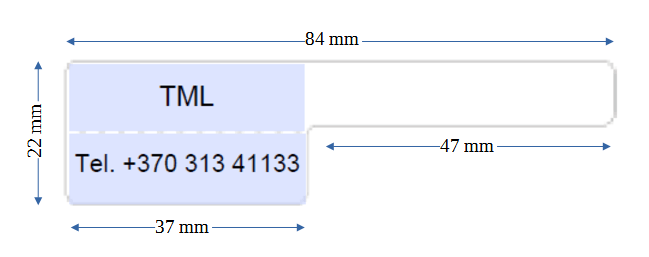
Dimensions of the folding flag: 22×37 mm with a 37 mm long tail. Arrangement of marking flags (30 pcs.) on an A4 sheet.
| SKU | Size, mm | Material | Quantity of labels, pcs. | |
|---|---|---|---|---|
| per sheet | per package | |||
| TML-FRL-9001-8422 | 22*37 | 9001 | 30 | 750 |
| TML-FRL-2200-8422 | 22*37 | 2200 | 30 | 750 |
Templates and printing
Ready to print templates
Select a template below with proper text placement and alignment. The templates are in PDF format with input fields.
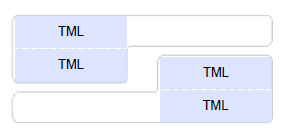 center alignment
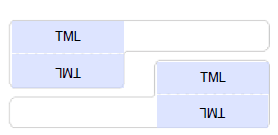 center alignment, flip
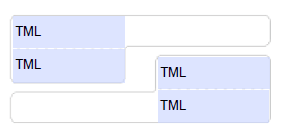 left alignment
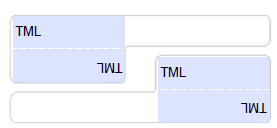 left alignment, flip
 Recommendations for printing
• download the template with wanted alignment option
• enter the desired text in the form fields
• save as a pdf file with the print parameters specified below
• print the pdf file on a plain A4 sheet of paper
• verify that the printed text matches the actual labels
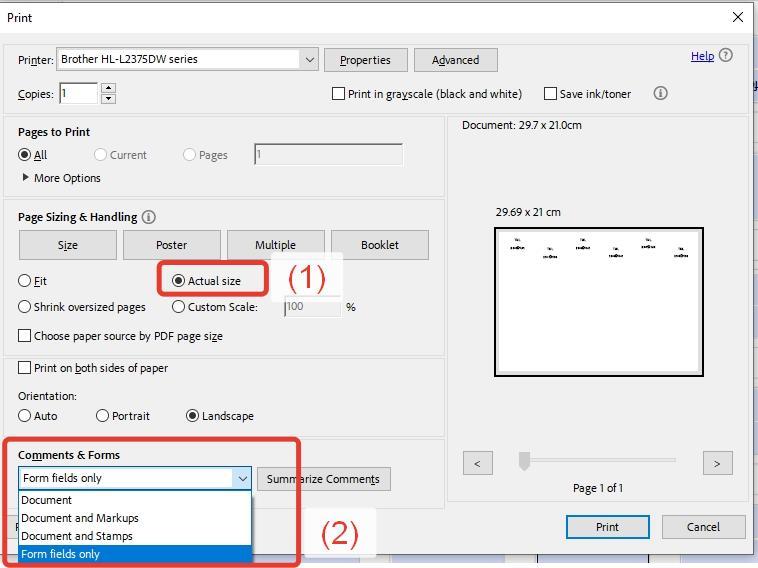
Check the settings before printing. For successful printing, firstly make sure page scaling is disabled, secondly we recommend printing only form fields without field outlines.
Marking of wires and cables with a flag
How to put a flag on a wire
The printed flag is removed from the protective backing and folded around the cable so that the tail ends are in contact with each other with an adhesive layer. In addition, to ensure good adhesion, the joined edges must be carefully pressed each to other. The adhesive layer of the marker not only fixes the marker on the cable, but also bonds the ends of the flag together by polymerizing. For this reason, even if the surface of the cable is not degreased, the marker will not fall off and will hold firmly.
Attaching of the flag on the wire
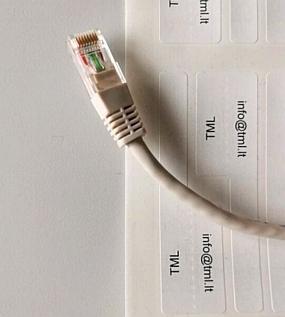 Step 1. Remove the marker from the protective base.
 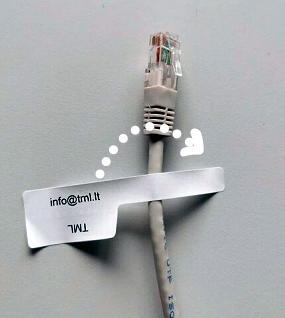 Step 2. Wrap the tail of the marker around the wire.
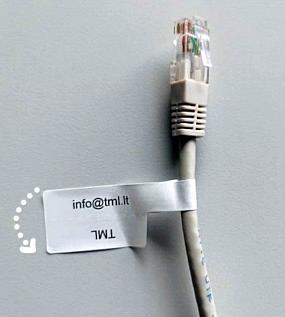 Step 3. Fold the marking flag in half along the perforation line.
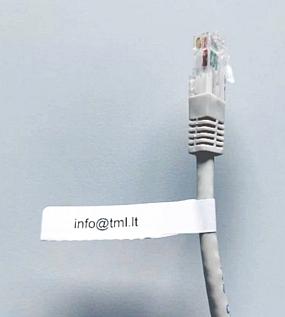 Step 4. The marker is ready.
+ Ready to print templates and recommendations for printing
+ Automatic scaling
+ The ability to move the text to the next line
| Our markers-flags | Similar markers-flags from other manufacturers |
|---|---|
| +Heat resistant +Elastic +Convenient +Prints from a PDF file +Ready to print templates are available +Suitable for office printers +Laser printing |
-Deforms -Fragile -Sticks off -Complicated application -Complicated printing -Special software required -Separate label printer required |
Showing all 2 results